USD
USD
Configure Mitsubishi Servo via On-Device Buttons
Detail Video on Youtube
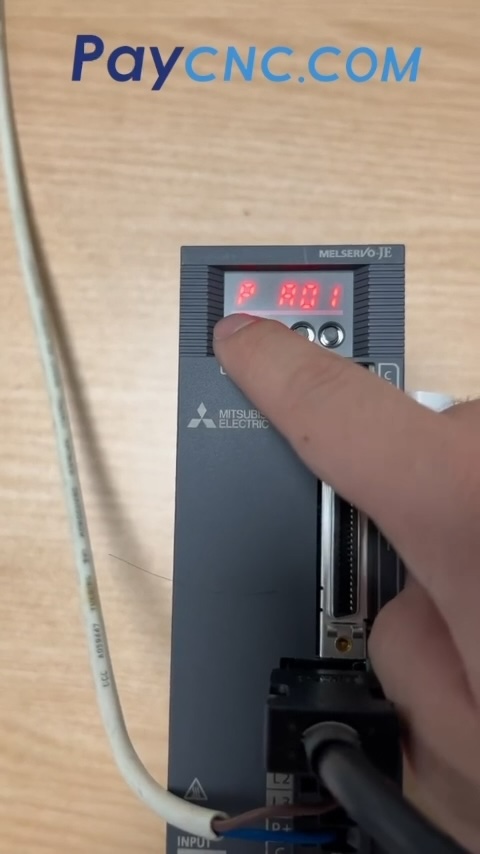
Configuring Servo Parameters via On-Device Buttons on the Mitsubishi JE-A Series
This is a practical tutorial for industrial automation professionals, demonstrating how to configure parameters on a Mitsubishi JE-A series servo drive using only the buttons on the unit itself—no computer connection required. The primary focus is on the steps to modify the parameter that controls the servo motor's direction of rotation.
The procedure is as follows:
Once the servo is powered on, press the "MODE" button to locate the "PA" parameter group, then navigate to parameter "PA14," which controls the servo's rotation direction.
Press the "SET" button to enter the parameter editing interface; the default value displayed will be "1."
Use the up/down arrow buttons to change the value to "0," then press "SET" again to confirm the change. Wait for the value on the display to flash, indicating that the setting has been confirmed.
After verifying that PA14 has been successfully set to "0," press the "MODE" button to return to the previous menu (the screen will display "vc"). Finally, power-cycle the servo drive (turn it off and back on) for the new parameter to take effect.
As noted in the comments section, the JE-A series servo drives do not support absolute encoders. Rigidity adjustments are handled via parameter "PA09," which can be configured through an auto-tuning (automatic learning) process. This button-based configuration method applies to all models within the "-A" series.
Paycnc offers different kinds of Mitsubishi Servo Drivers and motors.
If you could not find the exact model, you can send item photo and its nameplate to paycnc@paycnc.com to get quotation.
WhatsApp: https://wa.me/+8613925042139
#Mitsubishi #Servo
Configuring Servo Parameters via On-Device Buttons on the Mitsubishi JE-A Series
This is a practical tutorial for industrial automation professionals, demonstrating how to configure parameters on a Mitsubishi JE-A series servo drive using only the buttons on the unit itself—no computer connection required. The primary focus is on the steps to modify the parameter that controls the servo motor's direction of rotation.
The procedure is as follows:
Once the servo is powered on, press the "MODE" button to locate the "PA" parameter group, then navigate to parameter "PA14," which controls the servo's rotation direction.
Press the "SET" button to enter the parameter editing interface; the default value displayed will be "1."
Use the up/down arrow buttons to change the value to "0," then press "SET" again to confirm the change. Wait for the value on the display to flash, indicating that the setting has been confirmed.
After verifying that PA14 has been successfully set to "0," press the "MODE" button to return to the previous menu (the screen will display "vc"). Finally, power-cycle the servo drive (turn it off and back on) for the new parameter to take effect.
As noted in the comments section, the JE-A series servo drives do not support absolute encoders. Rigidity adjustments are handled via parameter "PA09," which can be configured through an auto-tuning (automatic learning) process. This button-based configuration method applies to all models within the "-A" series.
Paycnc offers different kinds of Mitsubishi Servo Drivers and motors.
If you could not find the exact model, you can send item photo and its nameplate to paycnc@paycnc.com to get quotation.
WhatsApp: https://wa.me/+8613925042139
#Mitsubishi #Servo