USD

How to adjust tool offsets on Fanuc?
Video on Youtube
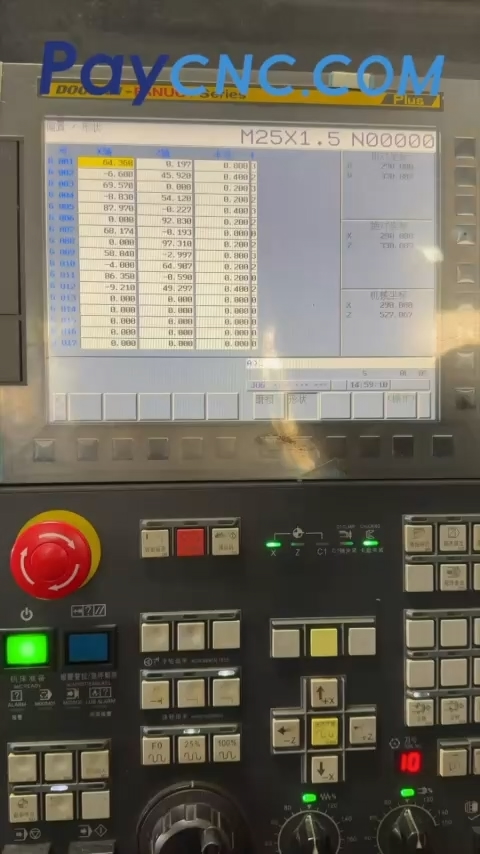
A practical tip for adjusting tool offsets on a CNC lathe equipped with a FANUC system by modifying the "wear" (offset) parameters.
A quick guide to tool offsets: Subtract if too large, add if too small; X relates to diameter, Z relates to length; use "Add Input" to modify values, while pressing "Input" alone will overwrite them.
Subtract if too large, add if too small: If the workpiece dimension is too large, apply a negative offset; if it is too small, apply a positive offset—this is the most fundamental rule.
X relates to diameter: The X-axis represents the diameter; calculate the offset value based on the diameter, not the radius—otherwise, your adjustment will be off by a factor of two.
Z relates to length: The Z-axis concerns length; subtract for "too long," add for "too short." Be careful not to mix up the directions. (Note: There is some debate in the comments regarding the suggestion in the video to "use a positive value if it's too long"—it is safer to stick to the "subtract if too large" principle.)
Use "Add Input" for modifications: In the wear offset screen, using "Add Input" accumulates the value onto the existing one, whereas pressing "Input" directly overwrites the original value, which could erase previous offsets.
To summarize: "Negative for 'too large,' positive for 'too small'; X is for diameter, Z is for length; use 'Add Input' to accumulate values."
Paycnc offers different kinds of Fanuc spare parts.
If you could not find the exact model, you can send item photo and its nameplate to paycnc@paycnc.com to get quotation.
#parts #fanuc
A practical tip for adjusting tool offsets on a CNC lathe equipped with a FANUC system by modifying the "wear" (offset) parameters.
A quick guide to tool offsets: Subtract if too large, add if too small; X relates to diameter, Z relates to length; use "Add Input" to modify values, while pressing "Input" alone will overwrite them.
Subtract if too large, add if too small: If the workpiece dimension is too large, apply a negative offset; if it is too small, apply a positive offset—this is the most fundamental rule.
X relates to diameter: The X-axis represents the diameter; calculate the offset value based on the diameter, not the radius—otherwise, your adjustment will be off by a factor of two.
Z relates to length: The Z-axis concerns length; subtract for "too long," add for "too short." Be careful not to mix up the directions. (Note: There is some debate in the comments regarding the suggestion in the video to "use a positive value if it's too long"—it is safer to stick to the "subtract if too large" principle.)
Use "Add Input" for modifications: In the wear offset screen, using "Add Input" accumulates the value onto the existing one, whereas pressing "Input" directly overwrites the original value, which could erase previous offsets.
To summarize: "Negative for 'too large,' positive for 'too small'; X is for diameter, Z is for length; use 'Add Input' to accumulate values."
Paycnc offers different kinds of Fanuc spare parts.
If you could not find the exact model, you can send item photo and its nameplate to paycnc@paycnc.com to get quotation.
#parts #fanuc