USD
USD
How to perform Jog Test on GR2000 Servo Drive?
Video on Youtube
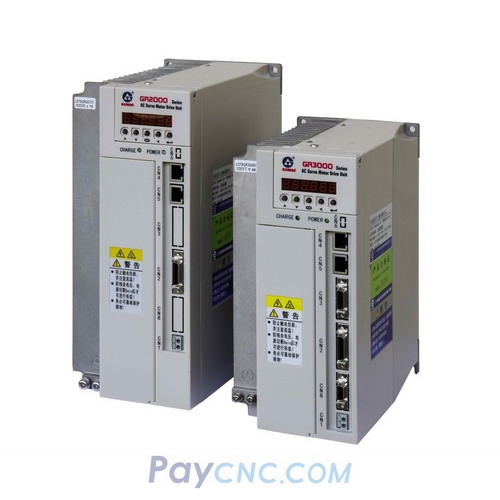
After connecting the power cables and securely plugging in the encoder connector, power on the GR2000 AC Servo Unit. The panel should display "r20"; if an alarm code appears, it indicates a fault with the drive.
Use the buttons on the panel to navigate to the appropriate interface and adjust the parameter values to configure the drive for jog mode.
Once in jog mode, press the "Up" button to rotate the motor in the forward direction, and press the "Down" button to rotate it in the reverse (counter-clockwise) direction.
The entire procedure can be completed using only the buttons on the drive's front panel, with no additional tools required.
https://www.paycnc.com/c/gsk-gr2000-ac-servo-driver_0379
Paycnc offers different kinds of GSK GR-L ac servo drivers
If you could not find the exact model, you can send item photos and its nameplate to paycnc@paycnc.com or WhatsApp us to get quotation.
#servodrive #GR2000
After connecting the power cables and securely plugging in the encoder connector, power on the GR2000 AC Servo Unit. The panel should display "r20"; if an alarm code appears, it indicates a fault with the drive.
Use the buttons on the panel to navigate to the appropriate interface and adjust the parameter values to configure the drive for jog mode.
Once in jog mode, press the "Up" button to rotate the motor in the forward direction, and press the "Down" button to rotate it in the reverse (counter-clockwise) direction.
The entire procedure can be completed using only the buttons on the drive's front panel, with no additional tools required.
https://www.paycnc.com/c/gsk-gr2000-ac-servo-driver_0379
Paycnc offers different kinds of GSK GR-L ac servo drivers
If you could not find the exact model, you can send item photos and its nameplate to paycnc@paycnc.com or WhatsApp us to get quotation.
#servodrive #GR2000